Ask naturally
Describe the work situation in your own words instead of searching for a document title.
GuideFlow turns an operational question into practical next actions and example wording, with the relevant manual excerpts available in the same conversation.
Actual prototype walkthroughDiscuss an evaluationStaff questions rarely use the same wording as a manual heading. The useful answer is not just a document match: it is what to do next, what to say and which conditions still need checking.
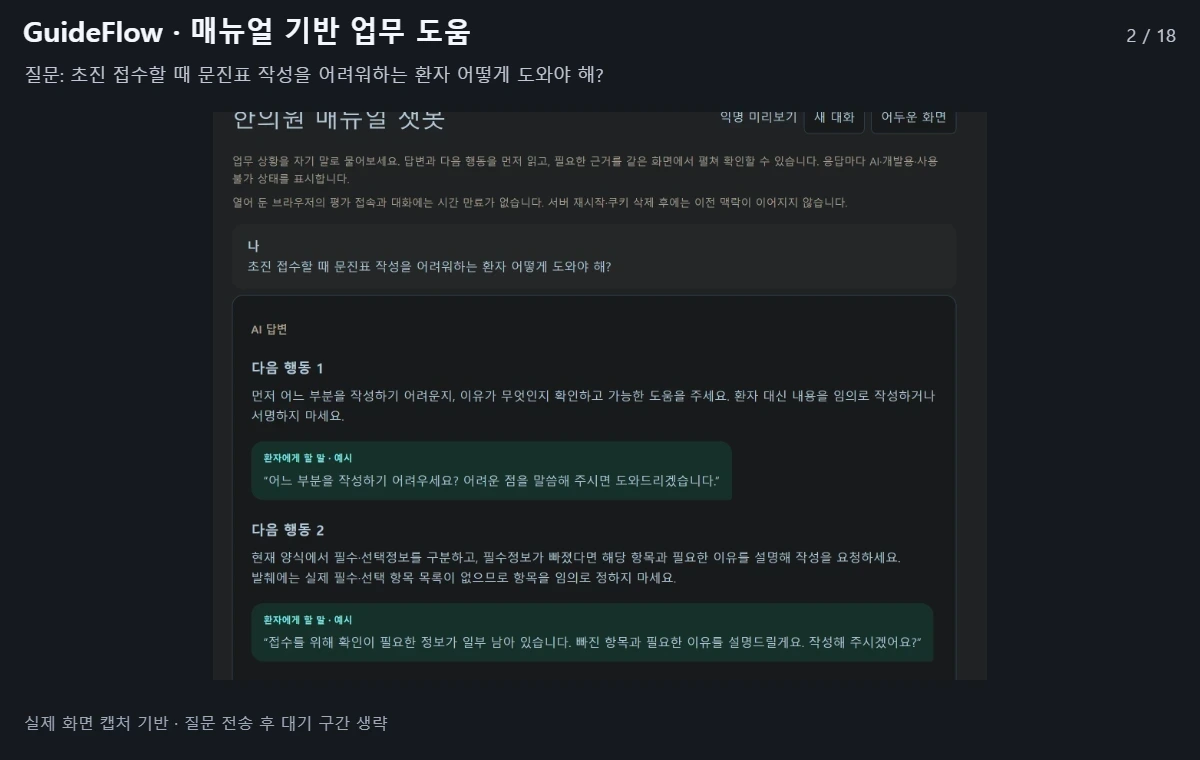
Describe the work situation in your own words instead of searching for a document title.
In the demonstrated example, the response provides four steps and patient-facing example wording.
Expand the manual excerpts and read the source-check limitations before applying the guidance.
Example: how can staff help a new patient who has difficulty filling in the intake questionnaire?
Review the suggested assistance, missing-information handling and escalation path.
Open the excerpts and confirm clinic-specific conditions rather than inventing missing rules.
These are development and evaluation tools, not a generally available self-service platform. Pricing and commercial launch dates are not finalized.
Missing insurance criteria or payment conditions require verification. This walkthrough is not a guarantee of insurance coverage or payment.
Operational guidance is subject to the clinic’s own approved rules and responsible staff. Missing rules, unclear responsibilities and partially checked sources should lead to verification, not invented instructions.
For general product inquiries only. Please do not send patient information, clinical records or recordings.
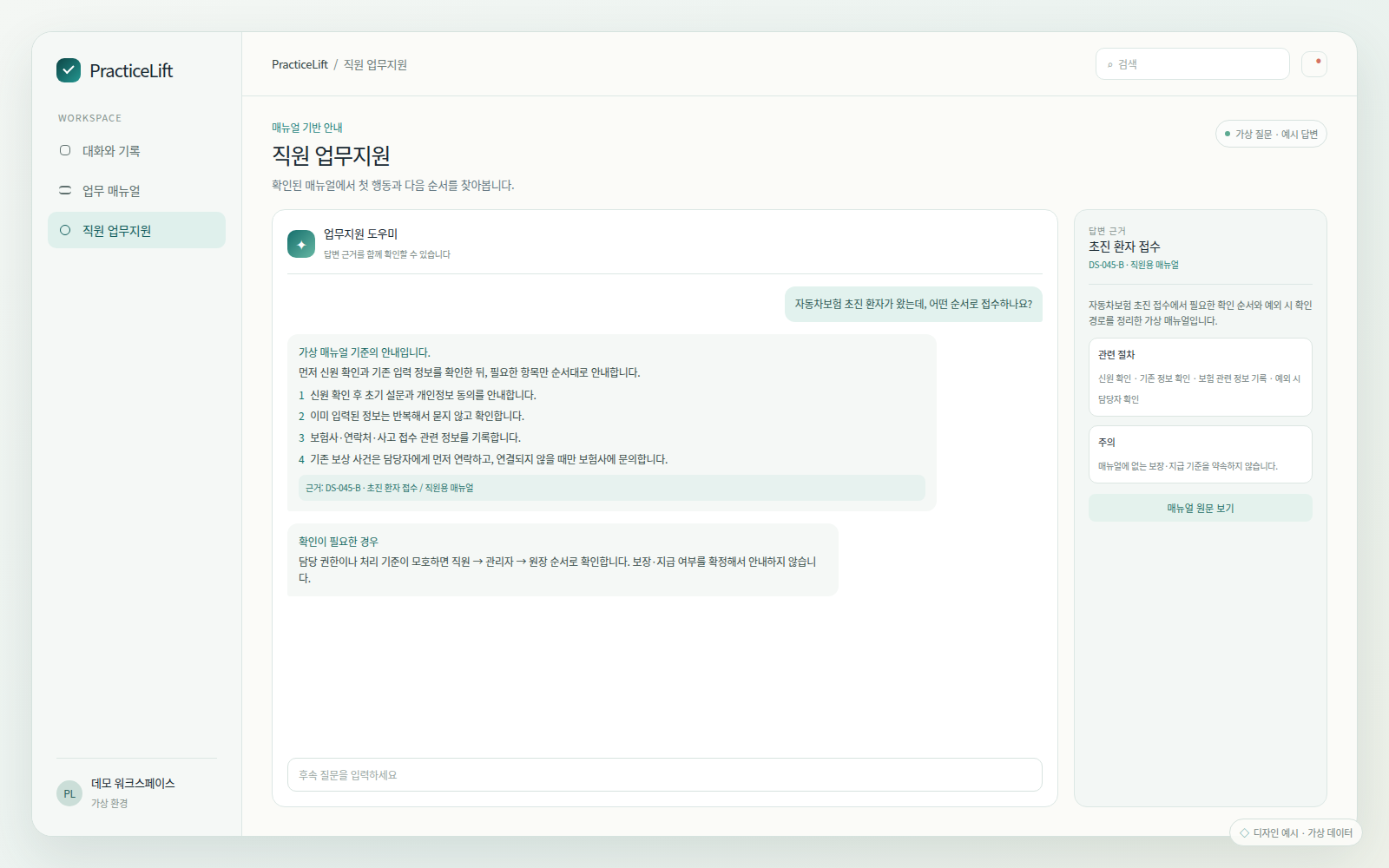
Fictional-data design examples, separate from the real prototype walkthrough above. These images do not demonstrate completed integrations.
For general product inquiries only. Please do not send patient information, clinical records or recordings.
[email protected]